
The Hidden Work of Posting One Idea to Five Platforms
Multi-platform social media posting is one idea, five jobs
Multi-platform social media posting looks like one idea copied five times. It behaves like five jobs. Each network wants its own crop, its own first line, its own link rule, and often its own upload form. The idea was the short part.
This is for solo operators and small brands that post the same offer to more than one network in a week. If you only use Instagram, the native app is a smaller problem. You do not need a lecture on cross-posting.
- Idea
One angle, one offer, one week on the calendar.
- Versions
Crops, hooks, link placement, sometimes a second video export.
- Forms
Five composers or one queue that still asks for five files.
Why one caption does not survive five networks
The first lines do different work.
LinkedIn readers need a sentence of context before the point, and the feed hides the rest behind a cut. Short video needs the hook in the first second and in on-screen text, because many people watch without sound. A Pinterest pin is closer to a search result: the words have to say what the image is, or nobody finds it later. A feed caption that “sounds like you” can fail all three.
Writing five captions is legitimate work. The hidden version is writing one caption, pasting it everywhere, then fixing it inside each composer because the first line was wrong. That second pass rarely shows up on a content calendar. The calendar still says one post.
Say the idea is a before-and-after of a small kitchen shelf. LinkedIn gets two sentences on who the shelf is for. The reel gets six words on the frame. The pin gets the material and the room size so it can be searched. Those are three pieces of writing. Treating them as “the caption” is why multi-platform social media posting takes longer than the draft.
Crops, covers, and filenames
One master photo feels efficient until you place it.
- Feed4:5 or square
The subject has to sit inside a tall or square crop.
- Story and reel9:16
Buttons and captions cover the edges. Leave a safe margin.
- PinTall frame
A square export looks small and crops the wrong area.
- Link previewDifferent image
LinkedIn and Facebook may pull a preview that ignores your feed crop.
Video adds a cover frame on some networks and a silent-first-second rule on others. You export, rename, and drop files into a folder you will not remember next week. The rename matters when the scheduler shows final-v3 and final-v3-reel and you attach the feed crop to the vertical slot.
Alt text and on-image text are a second caption layer. Pinterest and LinkedIn treat them as search fields. Instagram accessibility text is easy to skip when you are rushing five uploads. Empty alt text does not block publishing, but it is still writing work if you care about reach and screen readers.
Links, comments, and what you cannot paste
A URL is not the same object on every network. On Instagram, people usually put the link in the bio, a story sticker, or a comment, because a caption link does not work like a LinkedIn link post. TikTok and Reels push the important words onto the video, not into a paragraph under it. Some networks let you attach a first comment. Others fold hashtags into the caption or treat a long caption as clutter.
If your process is “paste the same blob,” you will fight each form. Write the link plan once, next to the idea: where the URL goes on each network, and which ones do not get a URL at all. Otherwise you rediscover the rule while the composer is open.
Hashtag blocks have the same shape. A saved list for Instagram dumped onto LinkedIn looks like a different kind of account. Keep the lists apart, even if the idea is the same.
The content calendar counts ideas, not exports
A green check on Tuesday often means “caption drafted,” not “five files ready.” The hidden work shows up on publish day: waiting for video processing on one network, fixing line breaks another network stripped, swapping the wrong crop because the filename lied.
Time one idea end to end once. Note where the clock actually ran: design export, caption rewrite, link workaround, or sitting in a processing queue. That number is closer to the real cost of cross-platform social media posting than the time you spent in the AI writer.
Five upload forms
Cross-posting can still mean five forms. One form wants a cover frame. Another wants a board. Another wants a document title and will scramble the line breaks from your caption. You fix line breaks by hand. You wait for one network to finish processing video while the others are already in the queue.
A scheduler reduces repeated logins when the assets are ready. It does not invent the crop or the network-specific first line. The honest version of “share everywhere” is: same idea, prepared assets, then one place that sends those prepared assets. The preparation is the hidden work.
What to change before you add a tool
Pick the networks that earn a custom version. Two well-prepared posts beat five pasted ones. For the ones you keep, write the first line for that network before you open the design file, export the crop with the network name in the filename, and put the link rule in the same note as the caption. Only then open the queue.
If the work you resent is still the jump from a finished caption into those forms, read content automation vs scheduling tools. If the stall starts earlier, at the idea itself, map it in from idea to post.
A connected queue is the later fix. Postology is on a waitlist for brand-aware posts and publishing connections in private beta. Mapping the five versions comes first. Otherwise the new tool still asks you for files you have not made.
Next step: Time one idea across the networks you used last week. Then read why you still click too much after AI writing tools if the draft was fast and the uploads were not.
Frequently asked questions
Do schedulers remove this work?
They remove repeated logins when the assets are ready. They do not invent the crop, alt text, or the network-specific first line.
How many networks should a small brand keep?
The ones where you will write a real first line. Drop the network you only feed with paste.
Why does posting take longer than writing?
Because the calendar tracks the idea, not the exports, link rules, and second-pass captions. The upload step is where those show up.
Written by
Postology Team
Passionate about sharing knowledge and helping others succeed with content automation.
Related Articles
You might also be interested in these articles
Why You Still Click Too Much After Buying AI Writing Tools
AI writing tools shorten the caption. Manual scheduling, crops, and uploads still take the afternoon. Here is where those clicks sit.
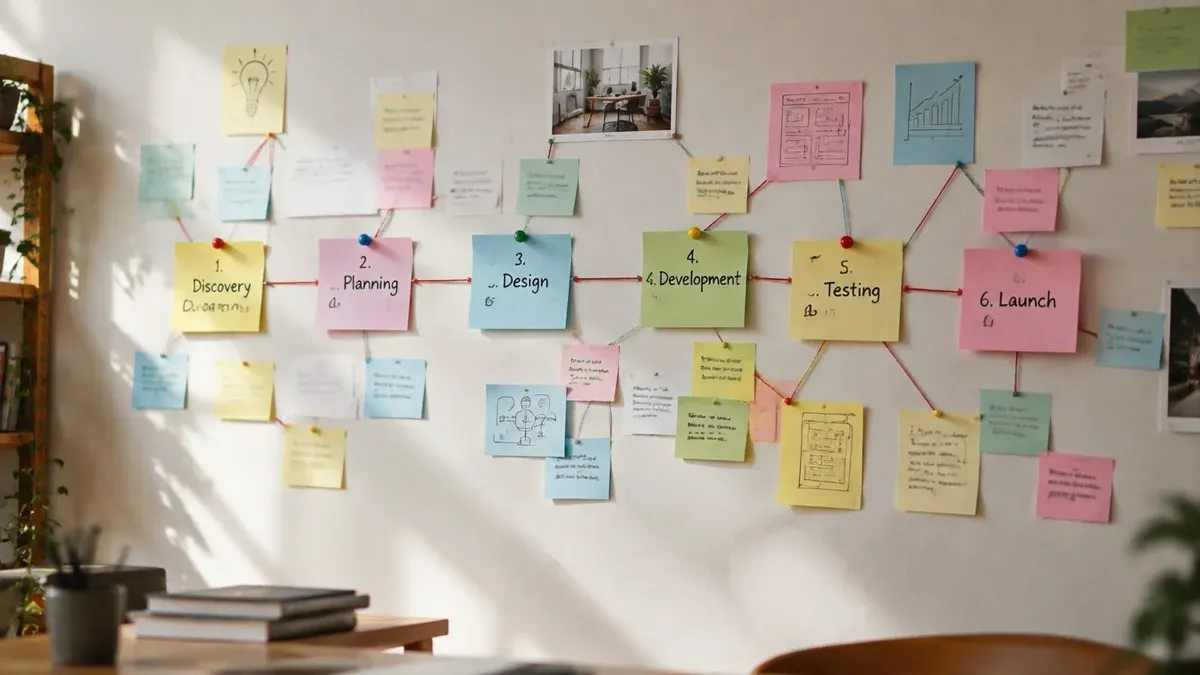
From Idea to Post: Where Manual Work Hides in Creator Workflows
The idea-to-published-post workflow has invisible handoffs. Map each stage and spot the bottlenecks that keep you clicking after the draft is done.
Content Automation vs Scheduling Tools: What Actually Saves Time?
Scheduling tools queue finished posts; content automation connects creation to publishing. Decide which layer your workflow is missing.